
Back to Blogs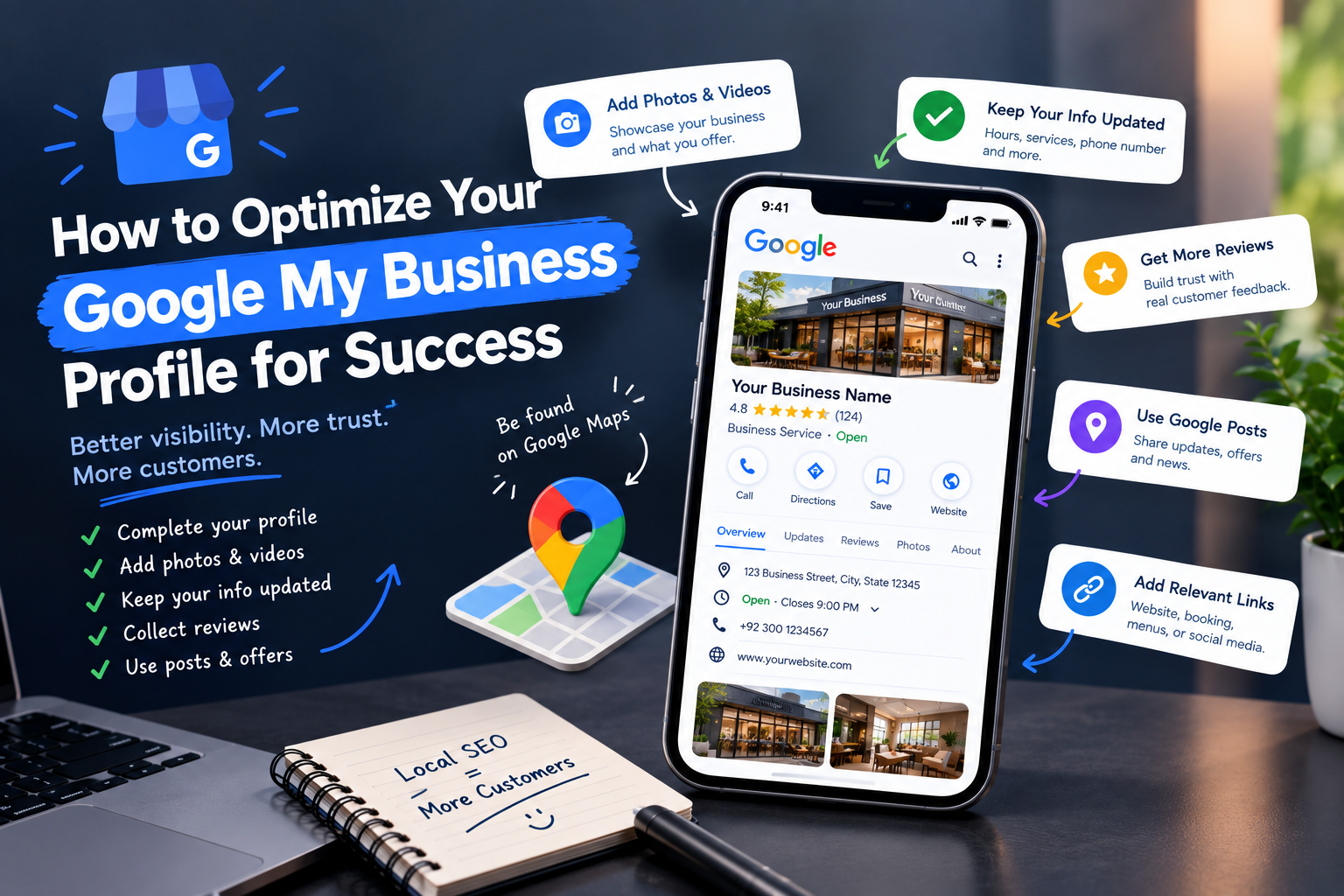
How to Optimize Your Google My Business Profile for Success
How to Optimize Your Google My Business Profile for Success
GMB SEO improves your Google Business Profile with accurate information, relevant categories, quality visuals, genuine reviews, and regular updates.
Google Business Profile helps businesses appear across Google Search and Maps. It can display your hours, website, phone number, services, photos, reviews, and other useful details.
But creating a profile is only the starting point. Accurate information, relevant categories, reviews, photos, and regular updates all help create a stronger local search presence.
Businesses can also connect their profile with broader digital marketing services to support visibility across search, social media, content, and other online channels.
What Is Google Business Profile?
Google Business Profile is a free Google listing that helps businesses manage their information
A verified profile can include:
Business name, address, phone number, website, and opening hours
Photos, videos, services, products, and business attributes
Customer reviews and responses from the business
Questions, answers, posts, and available messaging features
Service areas for businesses that visit customers instead of serving them onsite
Google uses information from business owners, users, websites, directories, and other sources when building local listings. Keeping your own information accurate helps reduce confusion.
Are “Google Business Profile” and “Google My Business” Two Different Things?
No. Google My Business was the former name of the platform. Google renamed it Google Business Profile as part of a move toward managing profiles directly through Google Search and Maps.
The terms are still often used interchangeably online. If someone searches for Google My Business today, they are generally referring to the current Google Business Profile system.
What Is GMB SEO?
GMB SEO is the process of improving a Google Business Profile so it can better match relevant local searches.
Google says local results are mainly influenced by three factors:
Relevance: How closely the profile matches a search query
Distance: How close or far the searcher’s location is
Prominence: How well-known the business is online and offline.
How to Optimize Your Google My Business Profile? Step-By-Step Guide
1. Create A Google My Business Account
Start by claiming an existing profile or creating one if your business is not already listed.
Sign in to your Google account.
Search for your business on Google.
If a profile already exists, claim it.
If your business does not exist, create a new Business Profile.
Enter your official business information.
Complete Google's verification process.
Follow Google's eligibility and verification requirements.
Google requires businesses to add or claim their profile and complete verification before managing their information in the normal way.
2. Complete Your Profile
Fill out every relevant field instead of leaving important information blank.
Business name
Address/service area
Phone number
Website
Business hours
Special hours
Categories
Attributes
Services
Products
Description
Google's Profile Strength tool can also help identify missing information on verified profiles.
3. Choose the Right Primary and Secondary Categories
Categories help Google understand what your business actually is.
Select the most accurate primary category.
Add relevant secondary categories.
Avoid choosing categories simply because they have higher search volume.
Don't add unrelated categories.
Revisit categories when the business offerings change.
Google recommends choosing categories that describe what the business is, rather than simply listing everything it offers.
4. Double-Check Your Contact Information
Keep your core business details accurate everywhere online.
Your NAP information should include:
Business name
Address
Phone number
Website
Small inconsistencies can create confusion for customers and search systems. Check important directories and your website when business details change.
5. Write an Effective Business Description
Your description should explain the business clearly without turning into a list of keywords.
Cover:
What the business does
Who it serves
Main products/services
Location/service area
What differentiates it
Relevant keywords used naturally
Write for customers first. Google also recommends keeping the description representative of the actual business.
6. Add High-Quality Visuals
Use authentic visuals that help customers understand the business before contacting you.
The visuals may contain:
Logo
Cover image
Exterior
Interior
Products
Services
Team
Work/process photos
Short videos where appropriate
For example, a restaurant can show its dining area and dishes, while a service business can show its team and completed work.
A digital marketing agency can also coordinate these updates with broader content campaigns so messaging remains consistent.
7. Get Google Reviews
Reviews can influence how potential customers view a business and contribute to local prominence.
Ask for reviews
Request feedback from genuine customers.
Make the review process easy.
Respond to reviews
Thank customers for positive feedback.
Address negative feedback professionally.
Avoid arguing with reviewers.
Don't use generic copy for every response.
Google allows businesses to request genuine reviews, but incentives for reviews or attempts to manipulate ratings are prohibited.
8. Make GMB Posting A Part Of Your Social Media Strategy
Profile posts can communicate timely information to people already discovering your business.
Useful topics include:
Offers
Events
New products
New services
Announcements
Seasonal updates
Business news
Learn how to schedule social media posts to keep your Google Business Profile content consistent and timely.
9. Answer The Questions
Monitor the Q&A section and provide clear answers to common customer questions. Address practical details such as services, availability, parking, policies, or locations.
10. Add Products And Services
Add relevant products and services where the feature applies to your business. Clear names and descriptions help customers understand what you offer before they visit your website or contact you.
11. Add and Maintain Business Attributes
Attributes give customers additional facts about your business.
Examples include:
Accessibility
Parking
Wi-Fi
Payment options
Outdoor seating
Women-owned/business attributes where applicable
Service options
Available attributes vary by business category and location.
12. Set Up Messaging
If your business can respond promptly, messaging can give customers another way to ask questions. Do not enable it simply to have another feature. Someone should actually monitor incoming messages.
How To Get My Business On Top Of Google Search?
There is no setting that guarantees the top position. Google specifically states that businesses cannot pay for better local ranking.
1. Improve Relevance
Build a profile that clearly matches the searches you want to serve.
Add:
Accurate primary category
Relevant secondary categories
Complete services/products
Accurate business description
Useful website content
Understanding how to get my business on top of Google search therefore starts with relevance rather than keyword repetition.
2. Strengthen Local Signals
Support your profile with:
Consistent business information
Location-specific website content
Relevant local directories
Local backlinks
Consistent citations
3. Build Prominence
Prominence can be supported through genuine online recognition.
Your website should include:
Genuine customer reviews
Mentions from reputable websites
Local media coverage
Relevant backlinks
Established online presence
Google identifies reviews, links, articles, directories, and other web information as signals that can contribute to prominence.
4. Keep Your Profile Active and Accurate
Update hours, photos, services, products, posts, reviews, and outdated information as the business changes.
5. Make Your Website Support Your Business Profile
The website and profile should tell the same story. Make sure your website and Google profile have:
Matching business information
Clear location/service pages
Relevant local content
Mobile-friendly experience
Strong internal linking
Helpful service information
6. Pay For Placement
Paid promotion is separate from organic local ranking.
Businesses can use:
Paid Ads
Google ads
Paid campaigns
Influencer marketing
These methods can generate visibility, but they do not purchase a better organic Business Profile ranking.
Businesses should also measure outcomes rather than simply checking rankings. Metrics such as calls, website visits, direction requests, bookings, and click through rate can provide a clearer picture of how local visibility contributes to customer activity.
How To Attract More Visitors to Google Business Profile?
1. Create Content Around Local Search Intent
Create useful content around questions customers actually ask.
Examples include:
Salon services in Bahadurabad
Best sportswear for women
How much does a Stanley cost in Karachi, Pakistan?
Shoe stores near me
The purpose is to answer genuine questions, not repeat location keywords unnaturally.
2. Promote Your Google Business Profile Across Your Marketing Channels
Make the profile easy to discover through your:
Website
Social media
Email marketing
Local directories
Digital PR
Offline marketing materials
You can also track website behavior and customer actions through tools connected to your broader “My Google activity” and analytics setup.
3. Encourage Customers to Interact With Your Business
Useful actions may include:
Leave genuine reviews
Visit the website
Call the business
Request directions
Browse products/services
Do not manipulate customers or manufacture these actions. Focus on making legitimate customer interactions easy.
4. Use Local SEO Alongside GMB SEO
A Business Profile works as part of a broader local search presence. Add elements that support the same business information:
Website
Reviews
Directories
Backlinks
Content
Profile
When To Use Google Business Profile Help?
Google's official Google Business Profile help resources are useful when normal profile management does not solve an issue.
Verification Problems
Verification not completing
Verification options unavailable
Profile ownership issues
Profile Suspension
Suspended or disabled profiles
Policy-related issues
Reinstatement processes
Google provides an appeal process for eligible suspended profiles and recommends preparing supporting business documents.
Incorrect Business Information
Wrong address
Incorrect business name
Duplicate profiles
Ownership problems
Missing or Incorrect Features
Reviews not appearing
Photos missing
Changes not showing
Messaging or other features unavailable
GMB SEO Checklist
| Area For Optimization | What To Check |
|---|---|
| Business name | Use the real-world business name |
| Category | Select the most relevant primary category |
| Secondary categories | Add only relevant categories |
| Address | Keep it accurate and consistent |
| Phone | Use a working business number |
| Website | Link to the correct website |
| Hours | Keep regular and special hours updated |
| Description | Explain the business naturally |
| Services | Add relevant services |
| Products | Add applicable products |
| Photos | Upload current, authentic visuals |
| Reviews | Encourage genuine customer feedback |
| Review responses | Respond professionally |
| Posts | Share relevant updates |
| Q&A | Monitor and answer questions |
| Messaging | Enable if the business can manage it |
| Website | Align local information with the profile |
Get More Out Of Your Listing With GMB SEO
A strong Business Profile is not built by adding keywords everywhere. It comes from accurate information, useful content, genuine reviews, relevant categories, and consistent local signals.
If you need broader support with local visibility, website content, paid campaigns, or social media, contact us to discuss your requirements. Nexpike is a growth marketing agency helping businesses build stronger digital marketing strategies across search, advertising, web development, branding, and social media.