
Back to Blogs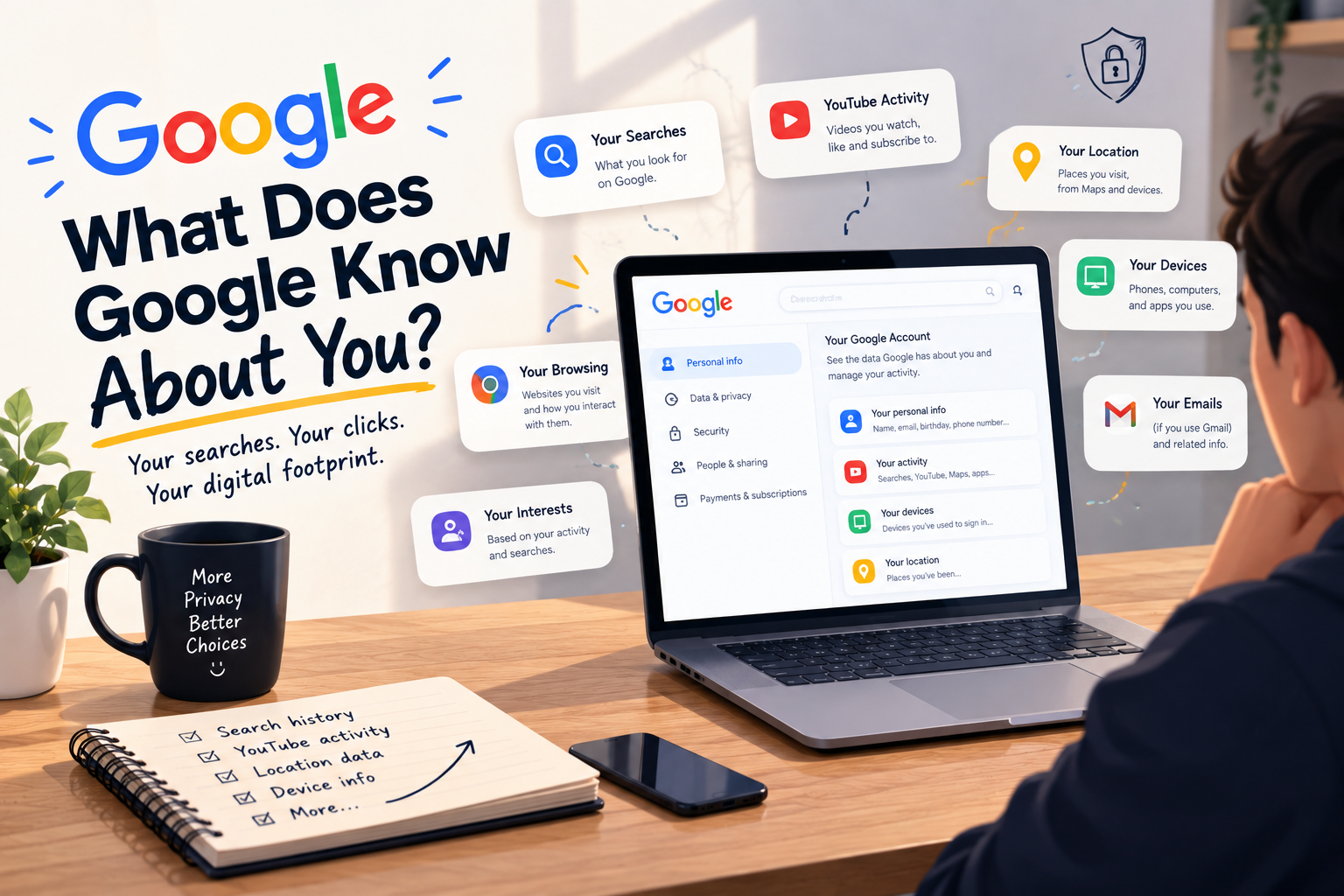
What Does Google Know About You?
Google knows who you are, what you like, what you dislike, and where you’ve been. All because of the information stored in “My Google Activity”.
Google keeps a record of information about you, including searches, YouTube history, location data, and app activity.
This data comes in handy to both Google and you. It helps you find your past searches, watch content that you prefer, and receive relevant recommendations.
But it also raises a very important concern about privacy and digital awareness.
What Is “My Google Activity”?
“My Google Activity” is a dashboard that saves information on Google’s behalf.
Google stores:
- Google searches
- YouTube watch history
- App activity
- Location history(if enabled)
- Voice recordings
- Any other interaction with Google
You also utilize this information unknowingly.
Knowing how Google collects information can help you alter your privacy settings and use this data to:
- Review your activity
- Delete specific items or data
- Control what Google continues to collect about you
How Google Collects Information
Google collects information from the data you willingly share.
When you sign up for a Google Account, you provide personal information.
- Name
- Phone number
- Email address
Along with that,
- Your Google Searches
- YouTube History(Google Owns It)
- Your Photos from Google Photos
- Your location app
- Google Contacts
Google has several means to keep an eye on you.
Even if you do not use Google actively, your information can still reach Google:
- Third-party websites
- Purchases
- Demographics
- Ads you click on.
How Google Uses Your Information
Personalize your Google experience
Google uses your data to tailor its products and services to your individual needs and preferences.
For example, Google may show you ads relevant to your interests or recommend videos that you might enjoy.
Improve Google's products and services
Google uses your data to identify areas where its products and services can be improved.
For example, Google may use your search history to understand what types of searches people are most likely to perform and then make changes to its search algorithm to better meet those needs.
How To Access “My Google Activity”?
Your Google activity stores everything Google saves about you.
You can find everything Google knows about you in your account settings. Here’s how to do it.
- Log in to your Account.
- Click on your Profile on the homepage
- Open the “Manage your Google Account” tab.
- Click on “Data & Privacy”.
- Scroll down and open the “My Ad Center” from the “Personalized ads” section.
- Select “Manage Privacy”.
You can find everything Google has assumed about you here based on your search, location, or YouTube history.
Busting Some Myths About Google
Google Is Listening To Everything We Do.
Google does not constantly listen to or record your conversations through your phone's microphone. This is a common myth.
According to Google's Privacy Policy:
- Voice recordings are only saved when you use services like Google Assistant or Voice Search.
- Recordings are stored only if Voice & Audio Activity is turned on.
In reality, you can actually control your voice data.
- Review your saved voice recordings.
- Keep or delete them at any time.
- Manage these settings from your Google Account.
You Cannot Erase “My Google Activity” Data.
Another myth that keeps popping up on the internet is that you cannot erase “My Google Activity”.
That is not true.
Google allows users to delete most of the information linked to their accounts.
- Remove individual searches
- Delete activity from specific time periods
- Clear your entire history.
Google also offers automatic deletion options that remove older activity after 3, 18, or 36 months.
But be mindful that deleting your activity does not always remove every piece of information instantly.
Google explains that some data may be retained for
- Security
- Fraud prevention
- Legal compliance
- System maintenance.
How To Stop Google Tracking You?
Once you know how Google collects information, you can stop it.
Turn Off Your Web & App Activity, YouTube, And Location History
- Log in to your Google Account.
- Click on your profile on the Google homepage.
- Open the “Manage your Google Account” tab.
- Go to the “Data & Privacy” page.
- Scroll down to the “History” settings.
- Click on “Web & App Activity.”
- Select “Turn Off” from the drop-down menu. You can also delete the previous activity from there.
- Go back to the “History settings” and click on “Timeline.”
- Click the “Turn Off” button to stop Google from tracking your location.
- Now, return to the previous page and click on “YouTube History.”
- Repeat the same process and turn it off.
Turn Off Ad Personalization
Since the main purpose of Google’s data collection is ad personalization, turning it off will significantly reduce it.
- Log in to your Google Account.
- Click on your profile on the Google homepage.
- Open the “Manage your Google Account” tab.
- Go to the “Data & Privacy” page.
- Scroll down and open the “My Ad Center” from the “Personalized ads” section.
- Toggle the “Personalized Ads” switch to Off.
- Now, click “Turn Off.”
Check What Information You Share With Others
You can also find out which of your information is visible to whom under your account’s settings.
- Open the “Data & Privacy” tab.
- Scroll down to the “Info You Can Share With Others”.
Here, you can find the personal information that Google has collected. You can also make it private.
Data From Apps And Services You Use
To find all the data that Google collects through its products and services, follow these steps:
- Now, scroll down to the “Data From Apps and Services You Use” section.
- Click on Content Saved from Google Services.
- Click on Third-Party Apps & Services to access data stored by third-party platforms that use Google sign-in.
- Now, select a service and delete your connections with that specific service.
- Click Confirm on the Confirmation pop-up.
What Marketers Should Learn
Your Google account tells a story about your online behaviour. Every search, click, and interaction adds another piece to that picture.
For marketers, this highlights an important lesson. People expect personalised experiences, but they also expect transparency. Businesses that respect user privacy while delivering valuable content are more likely to build trust and long-term customer relationships.
Knowing how your activity is used also makes you a smarter marketer. It helps you understand user expectations, create better digital experiences, and build strategies that focus on trust rather than shortcuts.
If your business wants to improve its online visibility with ethical SEO, effective advertising, and data-driven marketing strategies, contact us.
FAQs
Common Questions
Yes. You can view most of the information Google has saved by visiting My Google Activity in your Google Account. It shows your searches, YouTube history, app activity, location history (if enabled), and other interactions with Google services.
In some cases, yes. Google can receive data from third-party websites and apps that use services like Google Analytics, AdSense, or Google Sign-In. This may include information about your browsing activity and ad interactions.
Yes. Google lets you delete individual activities, remove data from specific date ranges, or erase your entire activity history. You can also enable automatic deletion after 3, 18, or 36 months.
No. Turning off Web & App Activity reduces the amount of information Google saves, but it does not stop all data collection. Some information may still be collected to provide services, maintain security, or meet legal requirements.
No. Deleting your My Google Activity does not delete your Google Account or services like Gmail, Google Drive, or Google Photos. It only removes the selected activity history linked to your account, which may reduce personalized recommendations and ads.